 Image 1 of 3
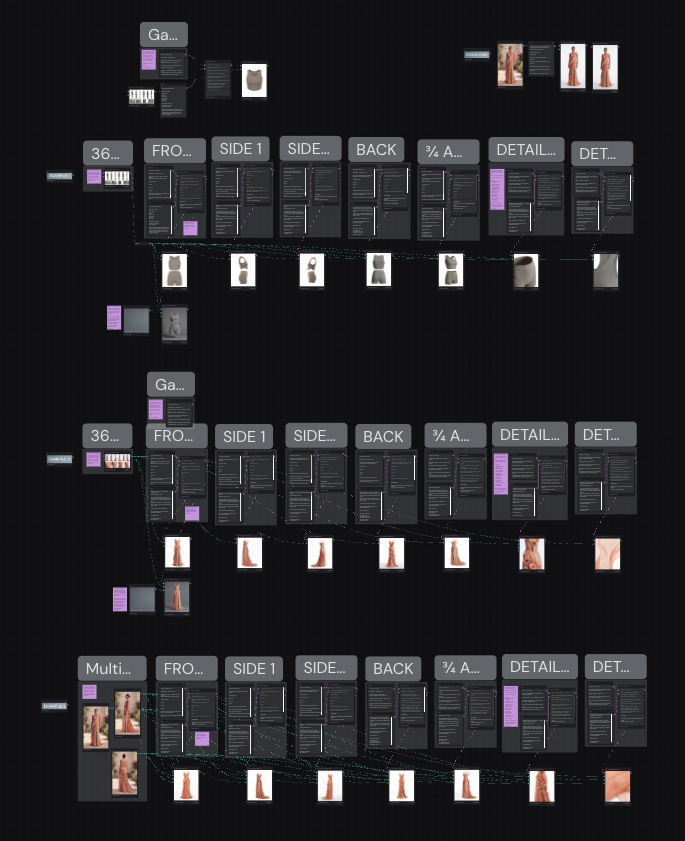 Image 2 of 3
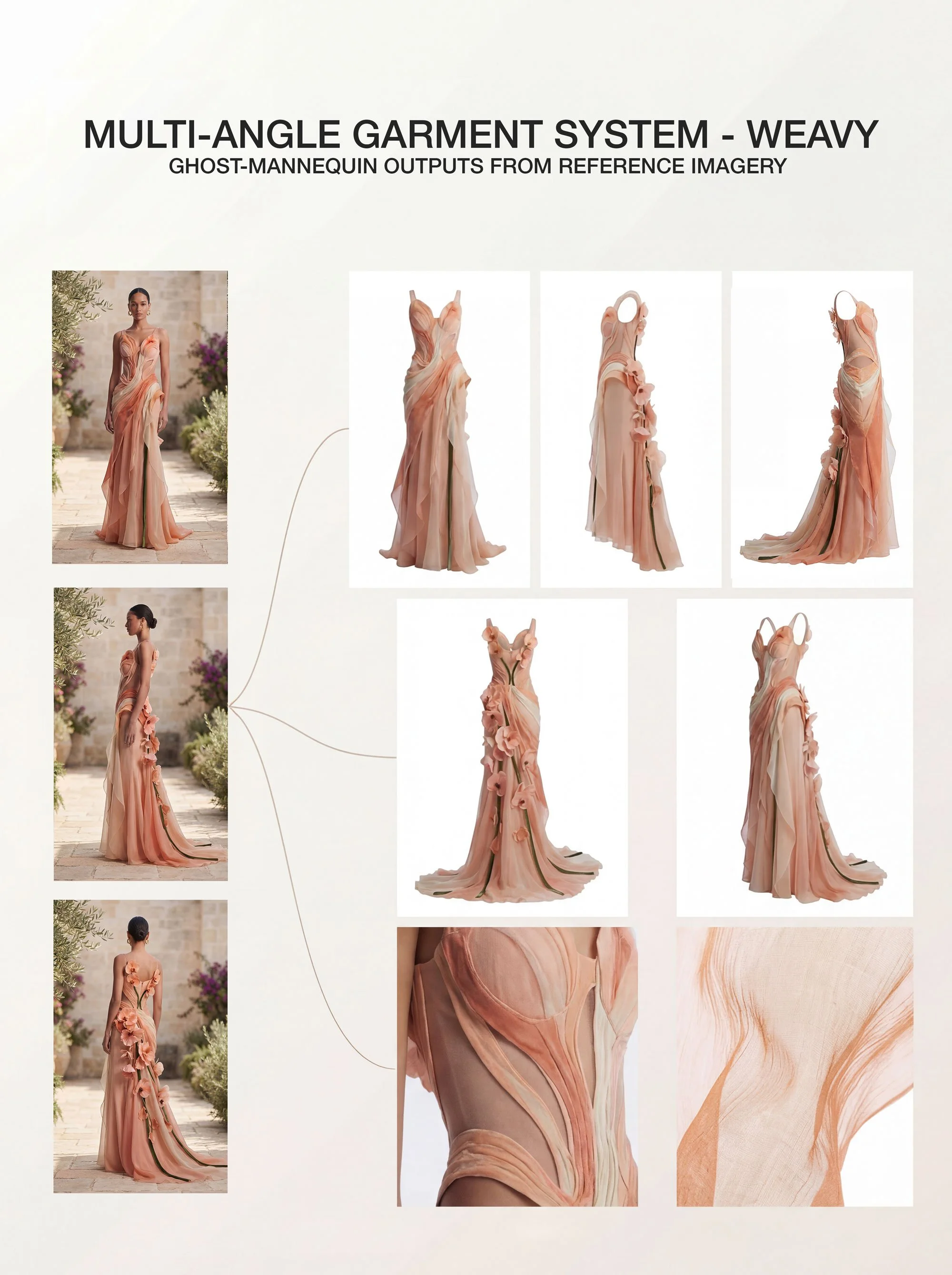 Image 3 of 3
A production-ready AI template for clean, multi-angle garments.
The Multi-Angle Garment System is an AI template built to generate multiple views of the same garment.
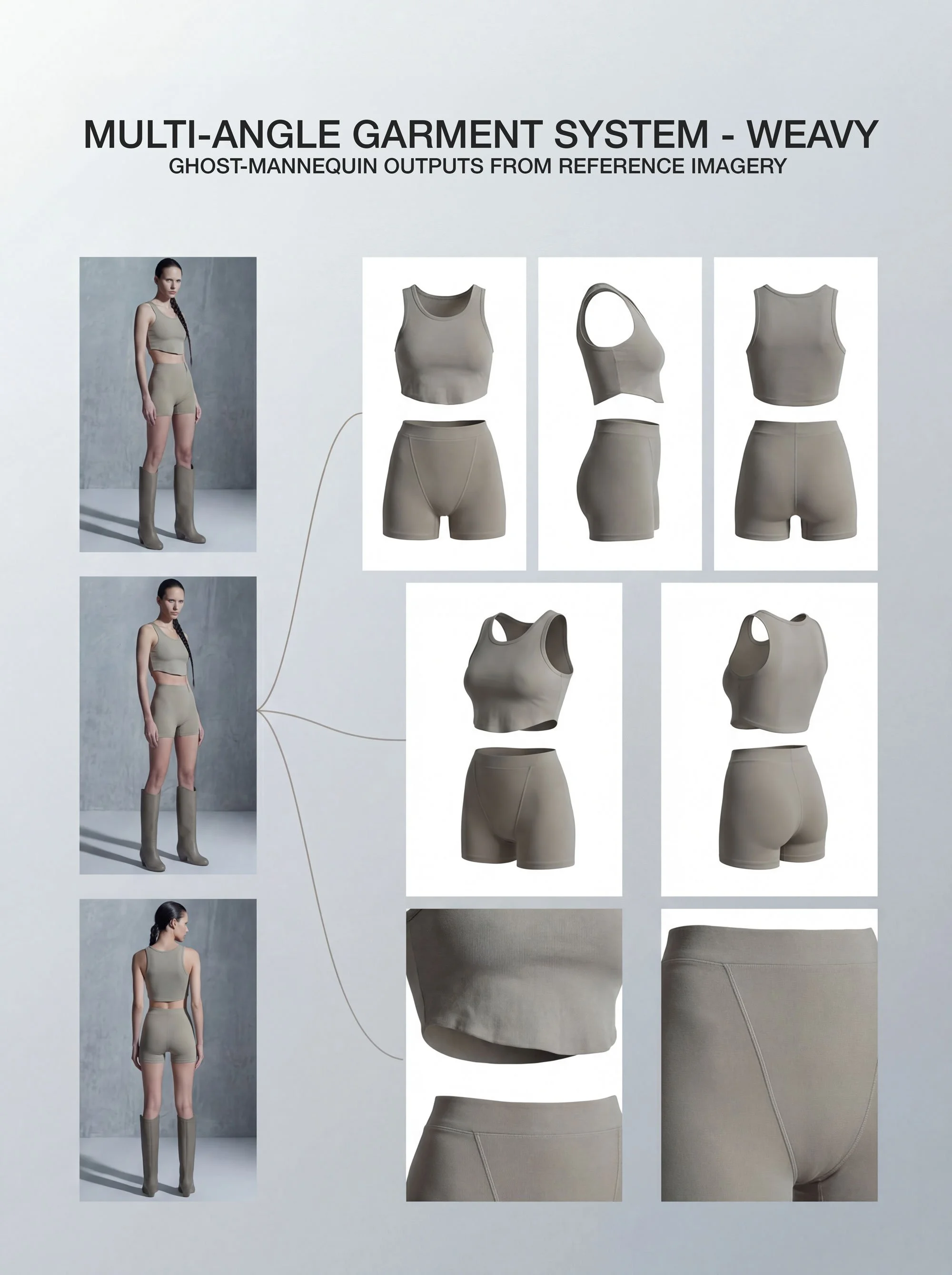
It lets you create front, side, back, ¾, and detail views from a single reference image, while keeping the garment’s construction, proportions, branding, and fabric behaviour locked.
Generates multi-angle garment views
Locks design, fit, fabric, and branding
Changes camera angle only — not the product
Produces clean, catalogue-ready outputs
Enforces true ghost-mannequin results (no body, no internal form)
This system is designed to save time, reduce production costs, and increase the value of each shoot.
Instead of booking a separate studio day just to capture ghosted product shots, you can generate clean, catalogue-ready garment imagery using reference images you already have.
That means:
Fewer shoot days
No additional studio hire
Less logistics and setup
Faster turnaround
For clients, it means getting more usable assets from the same shoot.
For you, it means delivering more value in less time.
The system separates camera control from garment identity.
You provide a 360 reference sheet — or multiple images showing different angles of the same garment.
The template extracts the garment as a hollow product object, then applies controlled camera logic to generate clean front, side, back, ¾, and detail views — without altering the garment itself.
The design stays locked. Only the camera moves.
To use this system, you’ll need:
Weavy account
The ability to copy a template into your own workspace
A basic understanding of how to use Weavy and run node-based workflows
Clean reference images of your garment or models wearing the garments
The template is currently structured for Weavy-based workflows.
A private link to the Multi-Angle Garment System template
The ability to copy the template into your own workspace
Structured prompt logic for:
Front view
2 x Side views
Back view
¾ angle
2 x Detail shots you can customise
I’ve included 5 workflows inside the template:
2 x 360 Garment Sheet Ghosting Workflows
Multi-Angle References Workflow
Lifestyle to Studio Workflow
Backdrop Changer Workflow
These show different use cases so you can understand how the system behaves across flatlays, studio garments, and lifestyle imagery.
You’re not downloading a file — you’re getting access to a copyable production system.
True ghost-mannequin (hollow, non-anatomical garment)
Natural fabric behaviour
Pure white background
No mannequin, no body shaping, no internal form
Photographers running lifestyle or campaign shoots
Fashion and e-commerce teams
Creative studios and production houses
Hybrid AI + real-world workflows
Catalogue and line-sheet imagery
Multi-angle product consistency
Just duplicate the system, drop in your image references, and start generating multi-angle sets.
Use it to save time.
Use it to save budget.
Use it to pitch bigger concepts.
Or just use it to get home earlier after a long shoot.
However you run it, make it yours 🤠
A production-ready AI template for clean, multi-angle garments.
The Multi-Angle Garment System is an AI template built to generate multiple views of the same garment.
It lets you create front, side, back, ¾, and detail views from a single reference image, while keeping the garment’s construction, proportions, branding, and fabric behaviour locked.
Generates multi-angle garment views
Locks design, fit, fabric, and branding
Changes camera angle only — not the product
Produces clean, catalogue-ready outputs
Enforces true ghost-mannequin results (no body, no internal form)
This system is designed to save time, reduce production costs, and increase the value of each shoot.
Instead of booking a separate studio day just to capture ghosted product shots, you can generate clean, catalogue-ready garment imagery using reference images you already have.
That means:
Fewer shoot days
No additional studio hire
Less logistics and setup
Faster turnaround
For clients, it means getting more usable assets from the same shoot.
For you, it means delivering more value in less time.
The system separates camera control from garment identity.
You provide a 360 reference sheet — or multiple images showing different angles of the same garment.
The template extracts the garment as a hollow product object, then applies controlled camera logic to generate clean front, side, back, ¾, and detail views — without altering the garment itself.
The design stays locked. Only the camera moves.
To use this system, you’ll need:
Weavy account
The ability to copy a template into your own workspace
A basic understanding of how to use Weavy and run node-based workflows
Clean reference images of your garment or models wearing the garments
The template is currently structured for Weavy-based workflows.
A private link to the Multi-Angle Garment System template
The ability to copy the template into your own workspace
Structured prompt logic for:
Front view
2 x Side views
Back view
¾ angle
2 x Detail shots you can customise
I’ve included 5 workflows inside the template:
2 x 360 Garment Sheet Ghosting Workflows
Multi-Angle References Workflow
Lifestyle to Studio Workflow
Backdrop Changer Workflow
These show different use cases so you can understand how the system behaves across flatlays, studio garments, and lifestyle imagery.
You’re not downloading a file — you’re getting access to a copyable production system.
True ghost-mannequin (hollow, non-anatomical garment)
Natural fabric behaviour
Pure white background
No mannequin, no body shaping, no internal form
Photographers running lifestyle or campaign shoots
Fashion and e-commerce teams
Creative studios and production houses
Hybrid AI + real-world workflows
Catalogue and line-sheet imagery
Multi-angle product consistency
Just duplicate the system, drop in your image references, and start generating multi-angle sets.
Use it to save time.
Use it to save budget.
Use it to pitch bigger concepts.
Or just use it to get home earlier after a long shoot.
However you run it, make it yours 🤠